Free
60 minutes per key$0Per day: —
Get a new key any time on this page.
Free AI video studio for Google Flow
From a one-line idea to a cliffhanger-driven vertical drama series, one episode at a time.
On screen: Production PresetsLaunch Instant AI Production
On screen: Generate All Visuals
On screen: Re-draft Episode Storyboard
On screen: Automation Pipeline (All Shots)
On screen: Render All Clips in EP 1
On screen: Cinema Room
Slate · Your access
Each free key works for 60 minutes. Get a new one here whenever it runs out.
Expires at —
Key expired.
Skip the wait — buy a passBox office · Free vs. Pass
Keep it free with a new 60-minute key whenever you need one, or buy a pass and work without interruptions.
$0Per day: —
Get a new key any time on this page.
$2$1.00 per day
One-time payment.
Buy for $2$10$0.67 per day
One-time payment.
Buy for $10$15$0.50 per day
One-time payment.
Buy for $15Shooting script · How it works
The real screens of the studio in Google Flow, in the order you use them.
Interface preview — illustrative placeholder media.
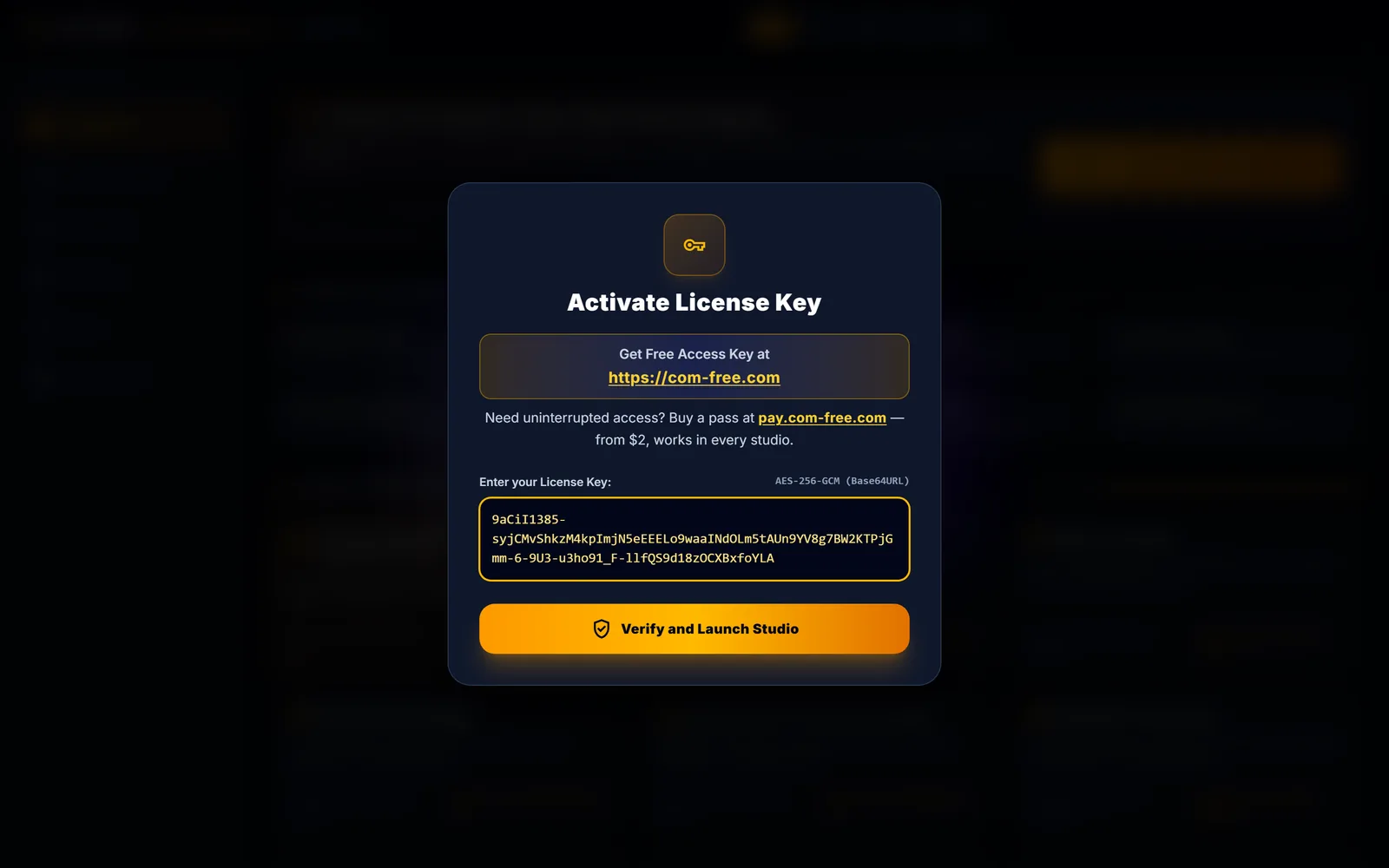
Scene 01
Get a free key here → Open in Google Flow → paste the key into the Access Key dialog
In the tool: Access Key dialog
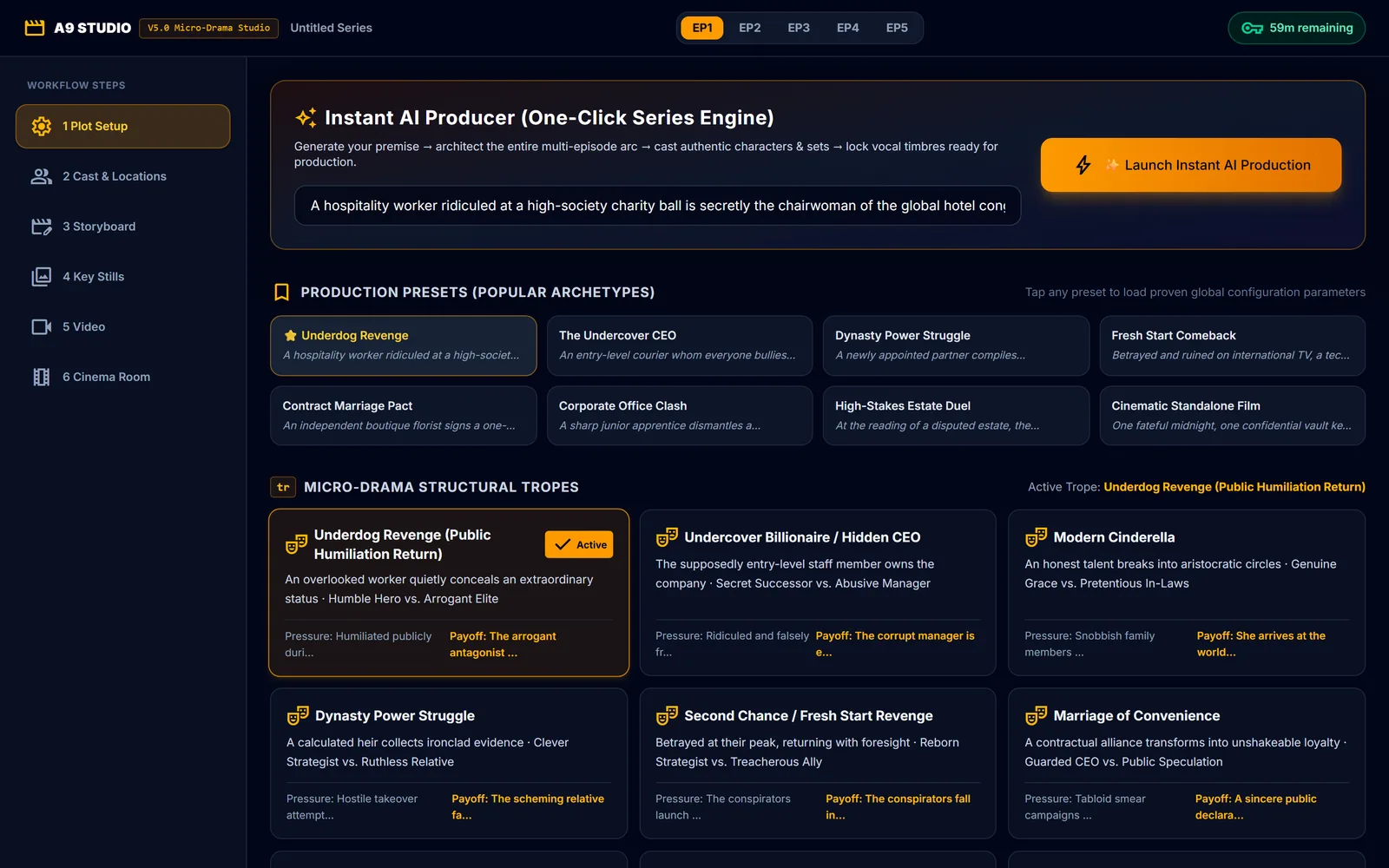
Scene 02
Pick a preset like Underdog Revenge in Plot Setup to load its premise and settings
In the tool: Production Presets
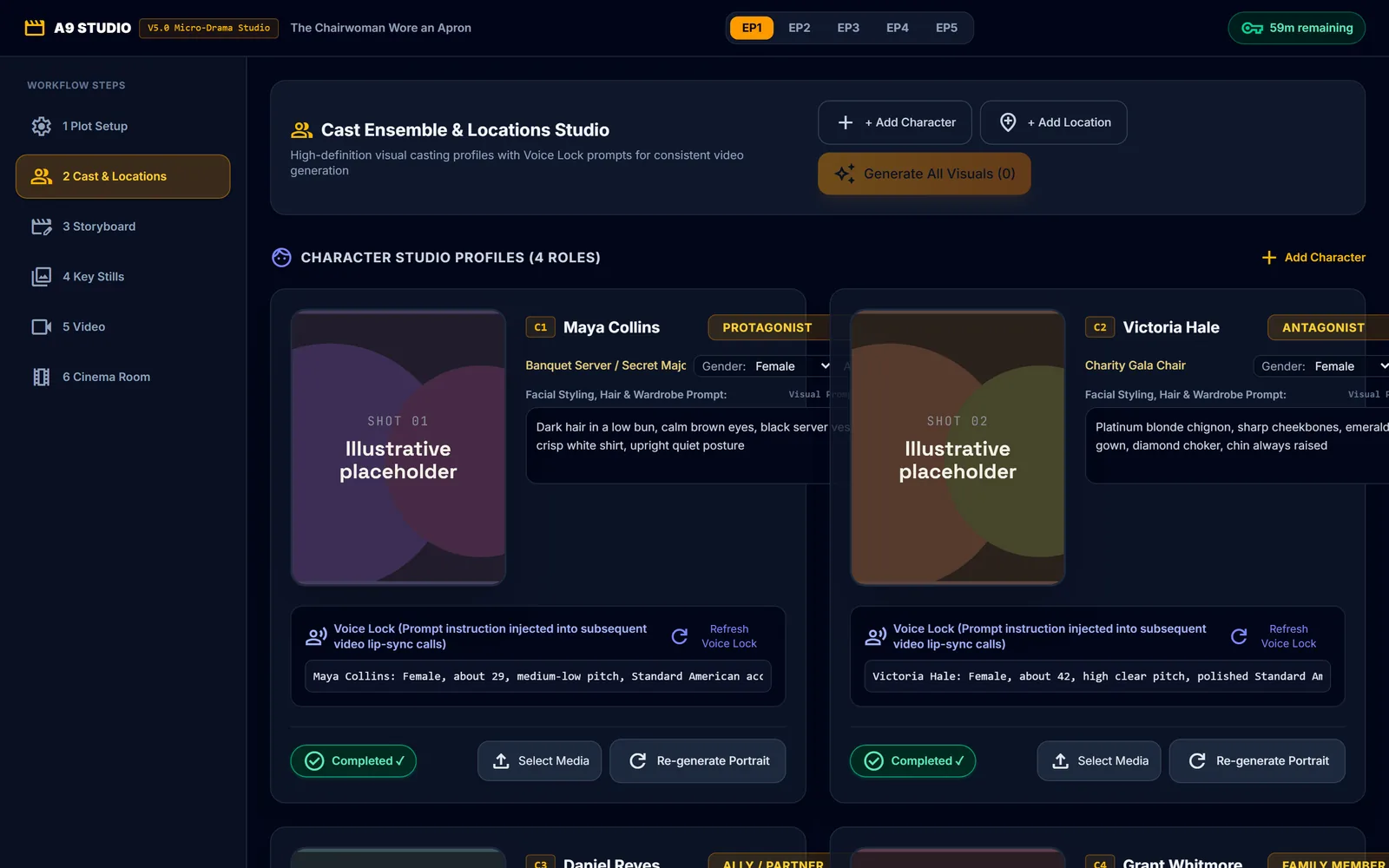
Scene 03
Launch Instant AI Production, then Generate All Visuals for the cast and locations
In the tool: Generate All Visuals
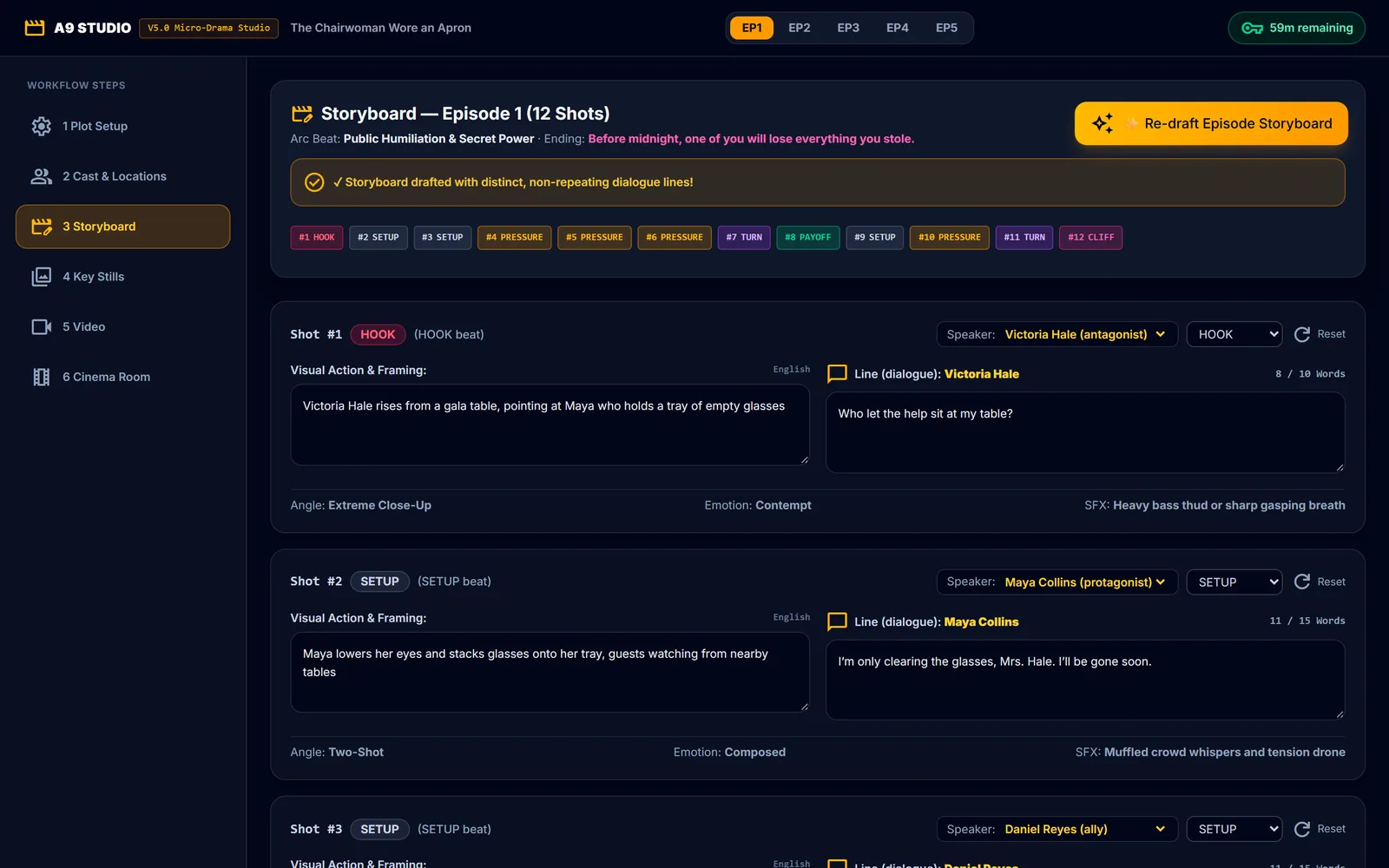
Scene 04
Re-draft Episode Storyboard writes 12 shots with roles, lines and word counts
In the tool: Re-draft Episode Storyboard
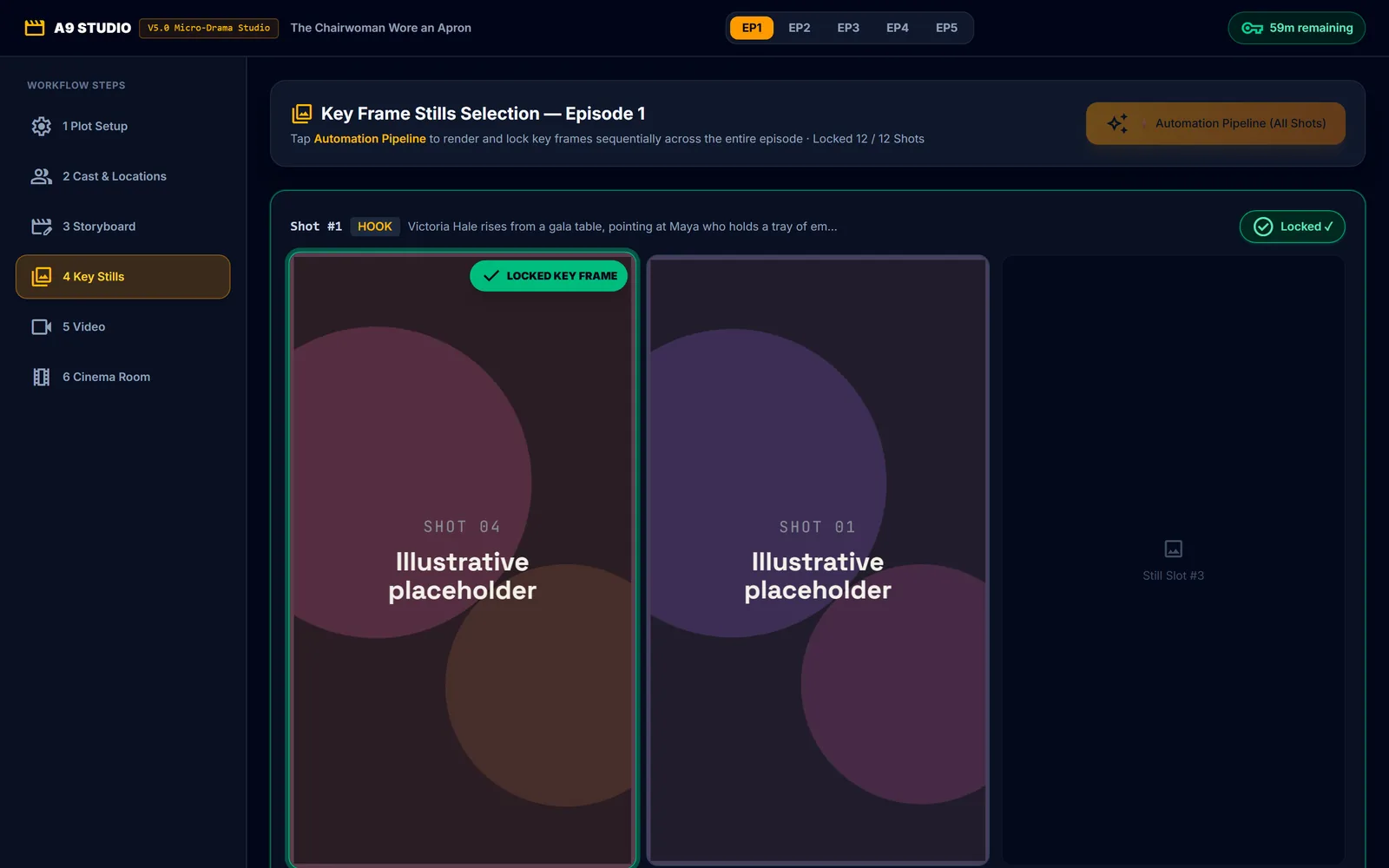
Scene 05
Run the Automation Pipeline in Stills to render and lock a key frame per shot
In the tool: Automation Pipeline (All Shots)
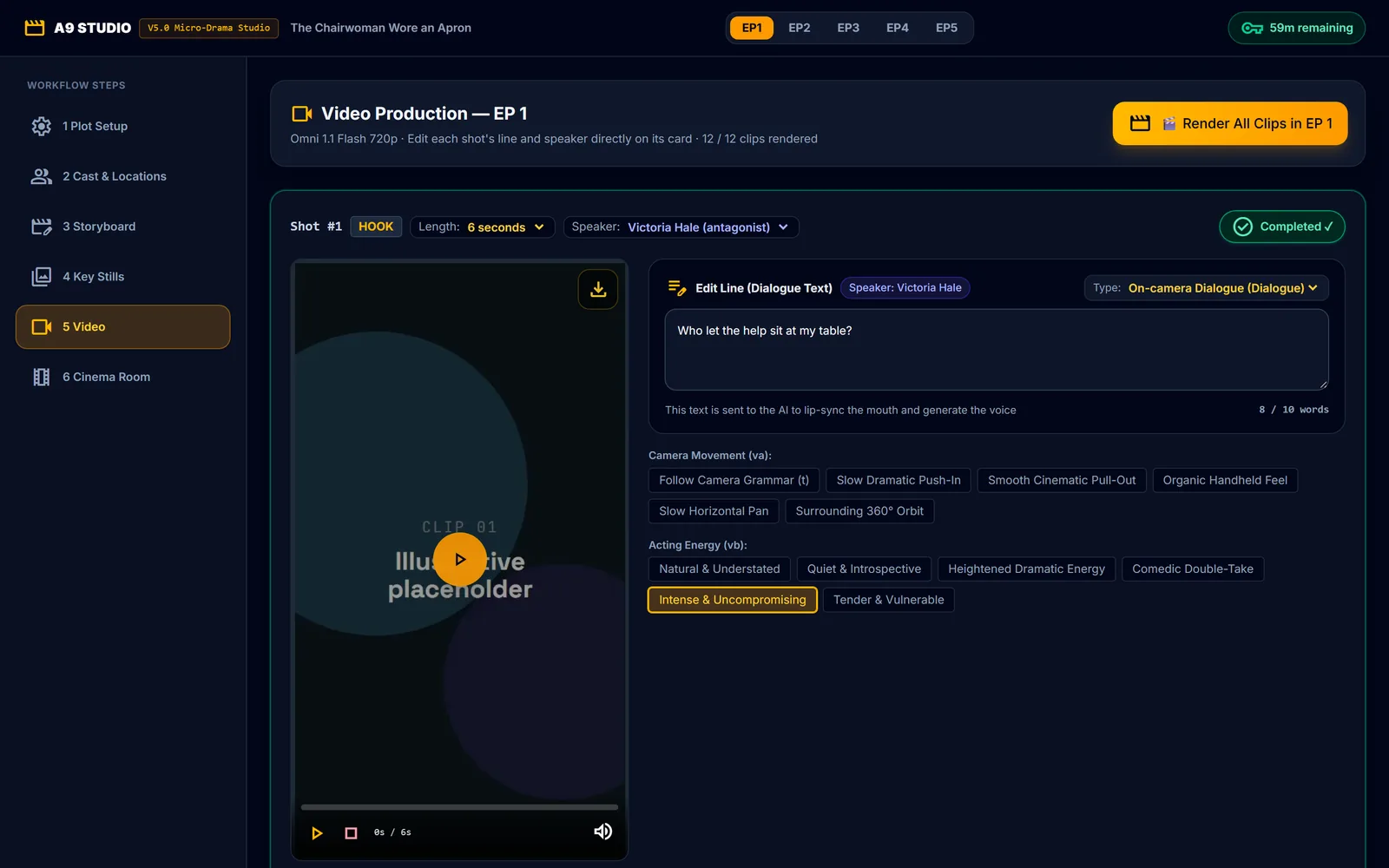
Scene 06
Render All Clips in the Video step and fine-tune each line, speaker and length
In the tool: Render All Clips in EP 1
Screening room
A silent tour of the same flow, from the Access Key dialog to the rendered clips. Portraits, stills and clips in it are placeholder graphics, not AI output.
Prompt library · 8 production presets
The 8 Production Presets from Plot Setup, screened as episodes. Each prompt is the exact premise-and-trope text the studio sends when you pick that preset.
Episode 01 · Production Presets
A hospitality worker ridiculed at a high-society charity ball is secretly the chairwoman of the global hotel conglomerate.
Micro-drama trope "underdog revenge": a humble protagonist secretly holds immense status or executive power; an arrogant rival humiliates them publicly; hidden influence is revealed step by step; each episode yields satisfying moments where the antagonist loses ground; culminates in a grand public vindication.
Develop this core logline idea: "A hospitality worker ridiculed at a high-society charity ball is secretly the chairwoman of the global hotel conglomerate.".
TROPE: Micro-drama trope "underdog revenge": a humble protagonist secretly holds immense status or executive power; an arrogant rival humiliates them publicly; hidden influence is revealed step by step; each episode yields satisfying moments where the antagonist loses ground; culminates in a grand public vindication.
Episode 03 · Production Presets
A newly appointed partner compiles unshakeable cryptographic records to expose a senior director framing them for embezzlement.
Micro-drama trope "dynasty power struggle": manipulative relatives plot corporate sabotage; the astute newcomer quietly audits transactions and prepares an airtight dossier for an explosive shareholder summit.
Develop this core logline idea: "A newly appointed partner compiles unshakeable cryptographic records to expose a senior director framing them for embezzlement.".
TROPE: Micro-drama trope "dynasty power struggle": manipulative relatives plot corporate sabotage; the astute newcomer quietly audits transactions and prepares an airtight dossier for an explosive shareholder summit.
Episode 04 · Production Presets
Betrayed and ruined on international TV, a tech founder restarts with flawless foresight to reclaim their empire.
Micro-drama trope "second chance comeback": betrayed on their pinnacle day, the protagonist starts fresh with complete foresight into their rivals’ playbooks, systematically turning every trap back onto the conspirators.
Develop this core logline idea: "Betrayed and ruined on international TV, a tech founder restarts with flawless foresight to reclaim their empire.".
TROPE: Micro-drama trope "second chance comeback": betrayed on their pinnacle day, the protagonist starts fresh with complete foresight into their rivals’ playbooks, systematically turning every trap back onto the conspirators.
Episode 05 · Production Presets
An independent boutique florist signs a one-year public engagement pact with an aloof Manhattan hedge fund magnate.
Micro-drama trope "contract marriage": a calculated business pact between an aloof conglomerate head and an independent entrepreneur blossoms into fierce mutual devotion amidst media scrutiny and scheming exes.
Develop this core logline idea: "An independent boutique florist signs a one-year public engagement pact with an aloof Manhattan hedge fund magnate.".
TROPE: Micro-drama trope "contract marriage": a calculated business pact between an aloof conglomerate head and an independent entrepreneur blossoms into fierce mutual devotion amidst media scrutiny and scheming exes.
Episode 06 · Production Presets
A sharp junior apprentice dismantles a fraudulent executive’s schemes live during an international investor conference.
Micro-drama trope "office war": an intern is sidelined and has key project work stolen; holding the raw audit logs, the truth flips entirely during the live international investor pitch.
Develop this core logline idea: "A sharp junior apprentice dismantles a fraudulent executive’s schemes live during an international investor conference.".
TROPE: Micro-drama trope "office war": an intern is sidelined and has key project work stolen; holding the raw audit logs, the truth flips entirely during the live international investor pitch.
Episode 07 · Production Presets
At the reading of a disputed estate, the patriarch’s quiet research apprentice is revealed as the sole designated custodian.
Micro-drama trope "inheritance war": avaricious heirs dispute the patriarch's legacy; an unacknowledged protege holds the authentic holographic testament and philanthropic trust.
Develop this core logline idea: "At the reading of a disputed estate, the patriarch’s quiet research apprentice is revealed as the sole designated custodian.".
TROPE: Micro-drama trope "inheritance war": avaricious heirs dispute the patriarch's legacy; an unacknowledged protege holds the authentic holographic testament and philanthropic trust.
Episode 08 · Production Presets
One fateful midnight, one confidential vault key, and one irreversible decision that alters history.
Original custom high-tension drama narrative utilizing classic three-act or advanced cinema structural beats.
Develop this core logline idea: "One fateful midnight, one confidential vault key, and one irreversible decision that alters history.".
TROPE: Original custom high-tension drama narrative utilizing classic three-act or advanced cinema structural beats.
Nothing saved yet. Press ★ Save on an episode to keep it here for quick copying.
Master template · per-clip video prompt
Every clip the studio renders goes to Google Flow as this JSON prompt. Set a shot's values and watch the prompt build. Free-text fields stay as {placeholders} until you fill them.
value your value{token} still a placeholdera | b template choices kept
{
  "voice_lock": { "{speaker}": "{voiceLock}" },
  "audio": {
    "type": "lip_sync_dialogue | inner_voice | voiceover_narration | none",
    "spoken_language": "English ({g} accent)",
    "speaker": "{speaker}",
    "line": "{dialogueText}",
    "timing": "speech starts at 0.3s and concludes before {duration - 0.7}s",
    "delivery": "{sd} emotion, {vb} acting energy",
    "others": "everyone else in the shot keeps their lips closed and does not speak"
  },
  "scene_action": "{visualDescription}",
  "motion": "{motion}",
  "camera_movement": "{va}",
  "acting_energy": "{vb}",
  "ending": "{vd}",
  "emotion": "{sd}",
  "sfx": "{sfx}, {vc[]}",
  "music": "NO MUSIC",
  "setting": "{m}",
  "aspect_ratio": "{d}",
  "characters": [{ "name": "{name}", "acting": "speaking naturally | listening with subtle emotional reaction" }],
  "render_rules": "keep characters, wardrobe and place identical to the start frame; no subtitles, no text, no logos; soft impact rule active: no physical contact"
}
| Variable | What it sets | Options in the studio |
|---|---|---|
{speaker} | Speaking character (one speaker per shot; "Narrator" for narration) | Free text |
{voiceLock} | Voice lock — fixed voice sentence sent word for word in every clip | Free text |
{g} | Dialect / Delivery Accent | 4 (default: Standard American (US)) |
{dialogueText} | Line (≤ 10 words for a HOOK, ≤ 15 words otherwise at 6 s) | Free text |
{duration - 0.7} | Clip length minus 0.7 s (clips are 4, 6, 8 or 10 s) | 4 (default: 5.3) |
{sd} | Emotion | 9 |
{vb} | Acting Energy (vb) | 6 |
{visualDescription} | Visual action & framing of the shot | Free text |
{motion} | Camera motion (from the shot role template) | 7 |
{va} | Camera Movement (va) | 11 |
{vd} | Shot ending (vd) | 8 |
{sfx} | Sound effect (from the shot role) | 7 |
{vc[]} | Ambience (vc, multi-select) | 9 (default: Room Acoustic Tone) |
{m} | Setting & Era | 9 (default: Modern Global Metropolis (New York / London)) |
{d} | Aspect Ratio | 7 (default: 9:16) |
{name} | Character in frame | Free text |