Sheet 01 / 09Renovation & Construction
Viral Renovation Studio
Locked-camera Before & After renovation timelapses, from prompt to 9:16 video.
Free key: 60 minutes, renew any time. Pass: from $2, works in all 9 studios.
- Clip
- Overgrown yard cleared to bare soil
- Camera
- Locked tripod, fixed high wide shot
- Format
- 9:16 vertical, 720 × 1280
- Length
- 8 s, start frame vs. end frame
- Render
- Veo 3.1 - Fast or Omni 1.1 Flash in Google Flow
Access key
Free · 60 minutes per key
- 1. Get your key
- 2. Copy key or prompt
- 3. Open Google Flow
Paste the key into the Access Key dialog when the studio opens.
ValidUnder 10 minUnder 2 minExpired
Key expired.
Skip the wait — buy a passFree vs. Pass
A free key lasts 60 minutes and you can get a new one any time. A pass keeps you working without renewing.
| Plan | Length | Price | Per day | Note | Action |
|---|---|---|---|---|---|
| Free | 60 minutes per key | $0 | — | Get a new key any time on this page | |
| Trial | 2 days | $2 | $1.00 | One-time payment | Buy for $2 |
| Standard | 15 days | $10 | $0.67 | One-time payment | Buy for $10 |
| Monthly | 30 days | $15 | $0.50 | Best value | Buy for $15 |
General notes
- One-time payment.
- Prices in USD. Your card issuer may convert to your local currency.
- Card, Apple Pay & Google Pay via Stripe.
- Your pass starts when payment completes and the key is shown instantly.
- One pass works across all 9 studios.
How it works
Six steps on the real studio interface, from pasting your key to downloading a finished 9:16 clip.
Studio tabs
Five tabs, one locked-camera workflow
- T1Master Prompt Studio
- T2Viral Presets
- T3AI Batch Generator (Meta-Prompt)
- T4Render Video (Veo / Omni)
- T5Gallery Video Player
-

1. Paste your key
Get a free key here → Open in Google Flow → paste the key into the Access Key dialog
UI label: Access Key dialog
-

2. Build the master prompt
Pick a renovation archetype and Quick Preset in the Master Prompt Studio tab
UI label: Master Prompt Studio
-
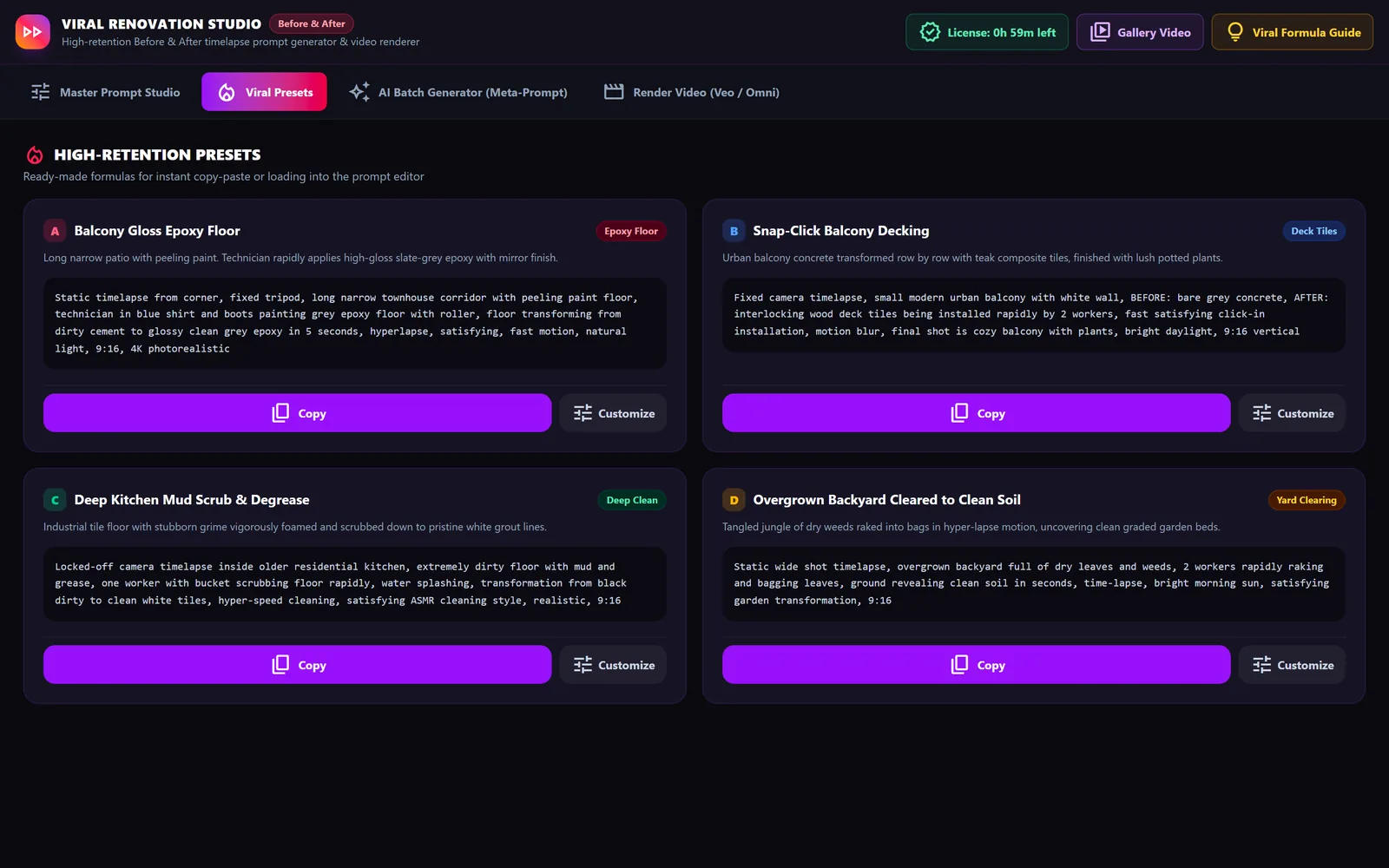
3. Browse ready-made recipes
Browse ready-made recipes in the Viral Presets tab, then Copy or Customize one
UI label: Viral Presets
-
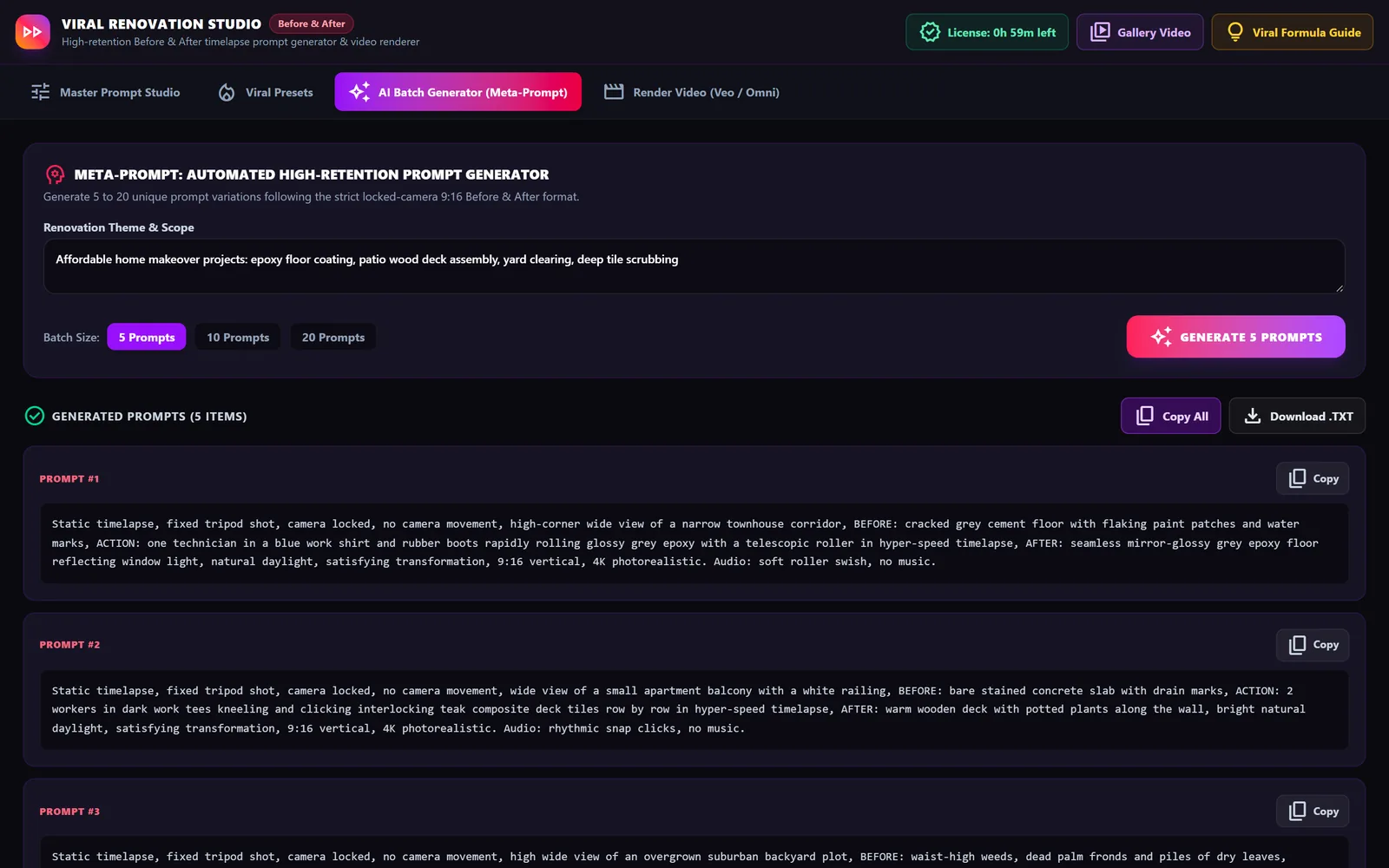
4. Generate prompts in bulk
Generate a batch of locked-camera prompts in the AI Batch Generator tab
UI label: AI Batch Generator (Meta-Prompt)
-
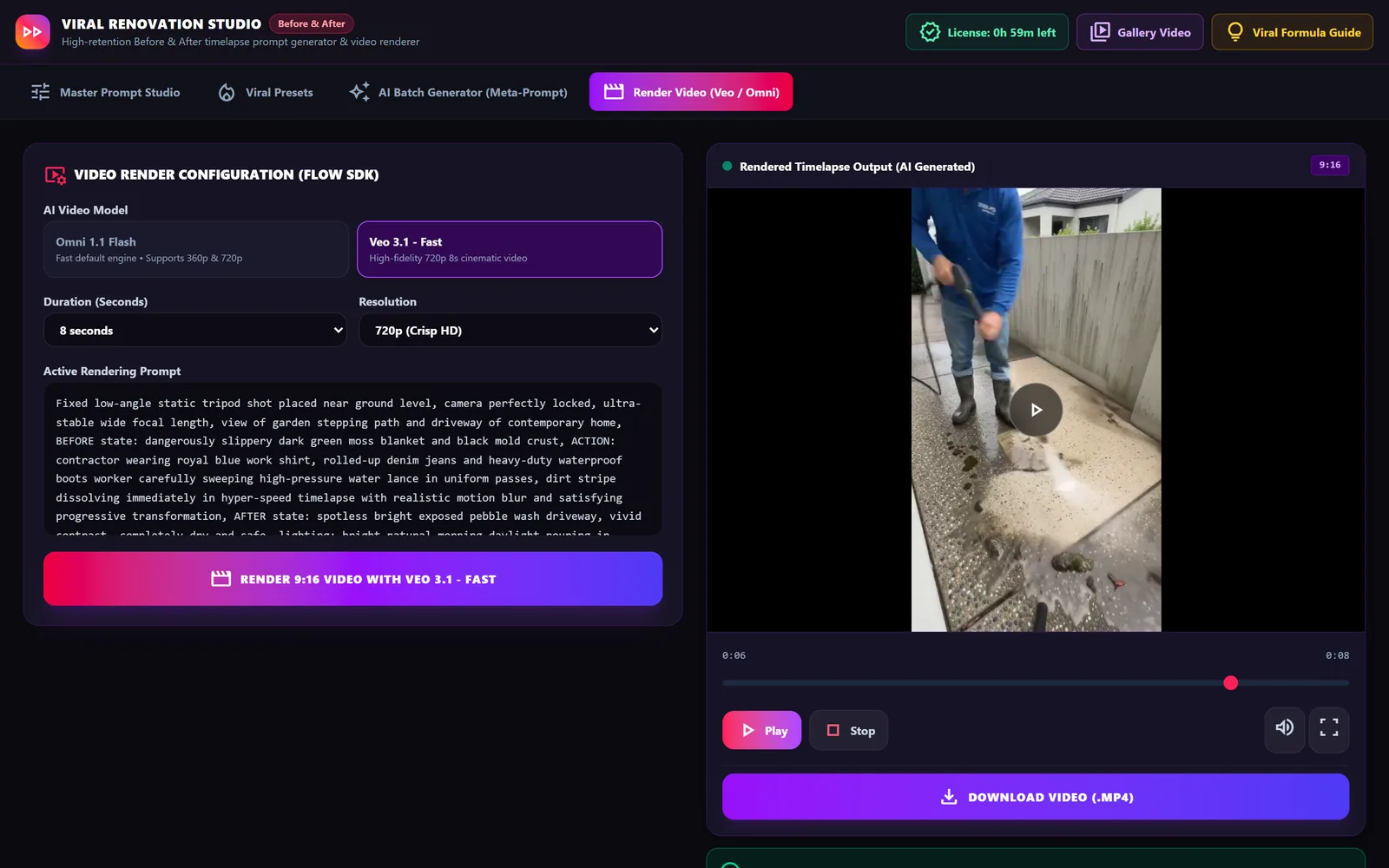
5. Render the video
Render the compiled 9:16 prompt with Veo or Omni in the Render Video tab
UI label: Render Video (Veo / Omni)
-
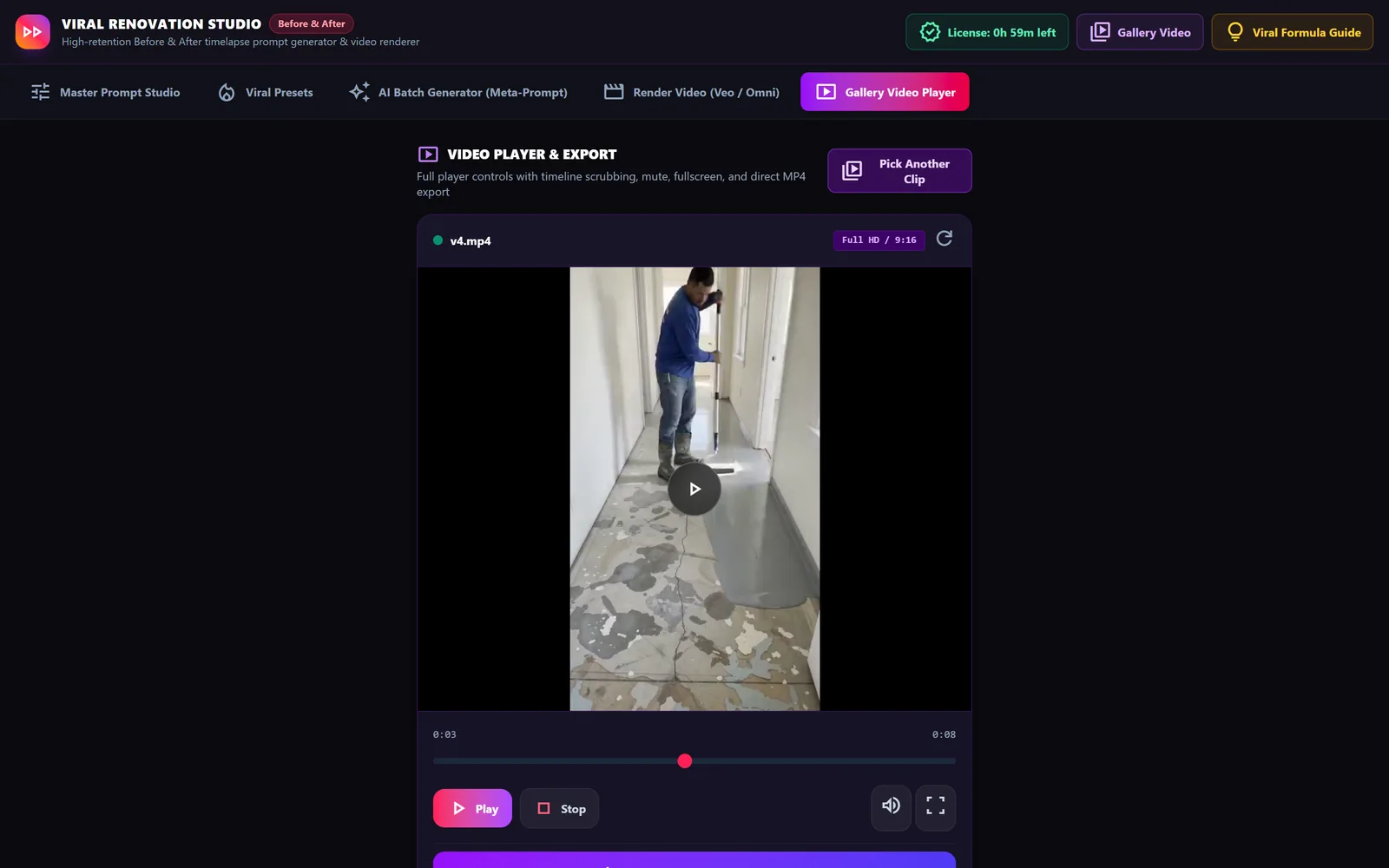
6. Play and download a clip
Open a clip via Gallery Video to play, scrub and download it as MP4
UI label: Gallery Video
Before / After inspection
Every sample is one locked shot. Drag the divider to compare the first and last frame of the same clip.
Drag, swipe or use ← / → (Home / End) on the divider.
Mossy aggregate walkway pressure-washed clean
Fixed low-angle shot beside a concrete boundary wall: a worker in a blue shirt and rubber boots pressure-washes green moss and grime off an exposed-aggregate path, revealing clean beige concrete.
- Before
- t = 0 s
- After
- t = 8 s
- Frame
- 720 × 1280
- Camera
- Locked
Closest ready-made prompt: Preset E — Floor cleaning with a pressure washer
All sample clips
-
Overgrown yard cleared to bare soilFixed high wide shot of a suburban backyard: three workers in sun hats and long sleeves trim and rake tall weeds, dry leaves and palm fronds into black bags until the plot is level brown soil.9:16 · 8 s · Preset D -
Dated bathroom remodelled with white subway tilesFixed eye-level shot of a small bathroom: a worker in a blue work shirt strips the old cream tiles, sets white subway tiles and fits a wooden floating vanity, black fixtures and a round mirror.9:16 · 8 s · Build it in the remix -
Mossy aggregate walkway pressure-washed cleanFixed low-angle shot beside a concrete boundary wall: a worker in a blue shirt and rubber boots pressure-washes green moss and grime off an exposed-aggregate path, revealing clean beige concrete.9:16 · 8 s · Preset E -
Narrow corridor floor coated in grey epoxyFixed shot down a narrow white corridor: a worker in a blue shirt rolls grey epoxy over a patchy, peeling cement floor until it becomes a glossy grey finish. Burned-in English labels read BEFORE and AFTER.9:16 · 8 s · Preset A
Prompt library
The studio's master template, five ready-made prompts and a meta-prompt. Remix the four variables below, then paste the result into the studio or any video model.
Live prompt remix
Set the four variables
- {LOCATION} solid
- {BEFORE} dotted
- {ACTION} dashed
- {AFTER} double
Load preset A–E
Loaded: default values
Source
Master template
[MASTER PROMPT]
Static timelapse, fixed tripod shot, camera locked, no camera movement, ultra wide angle view of {LOCATION: e.g. narrow Thai house corridor / small kitchen / balcony 2x4m},
BEFORE state: {BEFORE: dirty flooded floor, moldy wall, overgrown weeds, cluttered},
ACTION: {ACTION: 2 Thai workers in blue shirt and red boots rapidly cleaning / installing wood deck tiles / painting epoxy floor} in hyper-speed timelapse, motion blur, satisfying transformation,
AFTER state: {AFTER: clean shiny epoxy floor, beautiful wood deck with green plants, organized cozy home},
lighting: natural daylight, 4K, hyperrealistic, satisfying cleaning video style, 9:16 vertical aspect ratio
Negative: no camera shake, no person looking at camera, no slow motion
- {LOCATION}
- narrow Thai house corridor · small kitchen · balcony 2x4m
- {BEFORE}
- dirty flooded floor · moldy wall · overgrown weeds · cluttered
- {ACTION}
- 2 Thai workers in blue shirt and red boots rapidly cleaning · installing wood deck tiles · painting epoxy floor
- {AFTER}
- clean shiny epoxy floor · beautiful wood deck with green plants · organized cozy home
Ready-made prompts
Presets A–E
Copy one as-is, or load it into the remix to change a single variable.
-
A. Epoxy floor painting on a balcony / corridor
Static timelapse from corner, fixed tripod, long narrow Thai house corridor with peeling paint floor, Thai worker in blue shirt and red boots painting grey epoxy floor with roller, floor transforming from dirty cement to glossy clean grey epoxy in 5 seconds, hyperlapse, satisfying, fast motion, natural light, 9:16, 4K photorealistic
-
B. Artificial wood deck tiles on a balcony
Fixed camera timelapse, small modern Thai balcony with white wall, BEFORE: bare grey concrete, AFTER: interlocking wood deck tiles being installed rapidly by 2 workers, fast satisfying click-in installation, motion blur, final shot is cozy balcony with plants, bright daylight, 9:16 vertical
-
C. Kitchen clean-up after a flood
Locked-off camera timelapse inside old Thai kitchen, extremely dirty floor with mud and grease, one worker with bucket scrubbing floor rapidly, water splashing, transformation from black dirty to clean white tiles, hyper-speed cleaning, satisfying ASMR cleaning style, realistic, 9:16
-
D. Clearing an overgrown garden
Static wide shot timelapse, overgrown backyard in Thailand full of dry leaves and weeds, 2 workers rapidly raking and bagging leaves, ground revealing clean soil in seconds, time-lapse, bright morning sun, satisfying garden transformation, 9:16
-
E. Floor cleaning with a pressure washer
Fixed low-angle timelapse, dirty concrete walkway with green moss, Thai man using high-pressure washer, dirt line disappearing instantly revealing clean concrete, super satisfying, water spray in slow detail then hyperlapse, 9:16, 4K