Com-Free AI Flow Studios
UGC Product Review StudioUGC & Product · runs in Google Flow

UGC Product Review Studio Review videos, no shoot needed.

Turn one creator photo and one product photo into 5 UGC review shots and talking review videos.

  • Selfie Talk
  • Lifestyle Talk
  • Close-Up Talk
  • 2D Mini Character
  • 2D Ink Doodles
  1. Next1. Get your key
  2. Next2. Copy key or prompt
  3. Next3. Open Google Flow

Sample creatorAI-generated · UGC review
Hook preset · Food, Beverage & Snacks

First bite and my mind was blown! The flavor balance is simply incredible.

Muted · 9:16 · 8 s

Real output: talking review clip made with this studio.
Caption bubble = hook preview (pick one below).

Com-Free AI Flow StudiosPinned · access options

Free vs. Pass

The free key is the whole studio for 60 minutes. A pass skips the renewals.

Free $0
Length
60 minutes per key
Per day
—

Get a new key any time on this page

Trial $2
Length
2 days
Per day
$1.00

One-time payment.

Buy for $2
Standard $10
Length
15 days
Per day
$0.67

One-time payment.

Buy for $10
Best value Monthly $15
Length
30 days
Per day
$0.50

One-time payment.

Buy for $15
  • One-time payment.
  • Prices in USD. Your card issuer may convert to your local currency.
  • Card, Apple Pay & Google Pay via Stripe.
  • Your pass starts when payment completes and the key is shown instantly.
  • One pass works across all 9 studios.
Inside the studio5 tabs · for sellers, brands, affiliates & creators

One creator + one product → a review feed

Built for online sellers, brand owners, affiliate marketers and short-form creators who need authentic-looking UGC review photos and talking review clips without a shoot.

  • 1. Setup & Upload
  • 2. Generated Images
  • 3. UGC Talking Videos
  • 4. AI Model & Mascot
  • 5. Product Spotlight
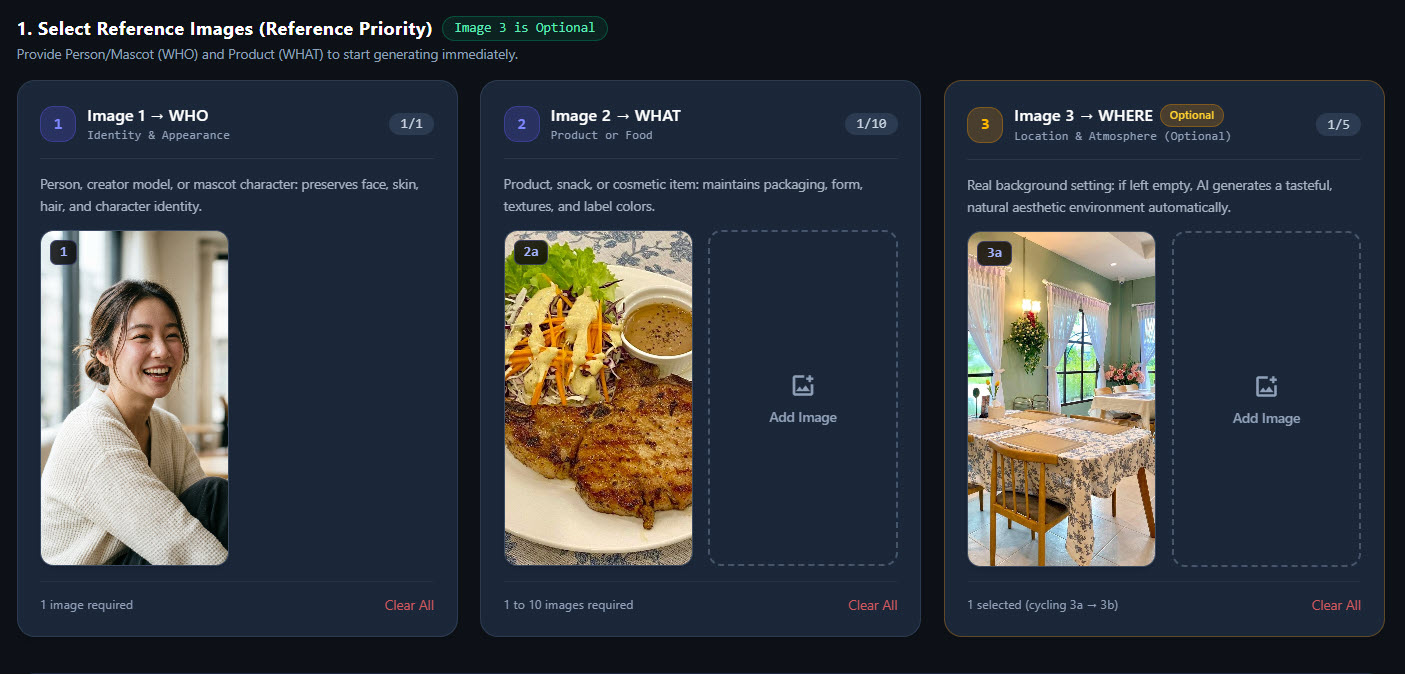
  • Three reference slots: Image 1 → WHO (person, model or mascot, 1 image), Image 2 → WHAT (product or food, 1–10 images, auto-labelled 2a, 2b…), Image 3 → WHERE (optional location, up to 5, cycled 3a → 3b…; auto background if empty)
  • 5 review shots per product: Selfie Talk, Lifestyle Talk, Close-Up Talk, 2D Mini Character and 2D Ink Doodles with a short handwritten caption — up to 50 images per run
  • Spoken-hook presets in 4 product categories (General / Viral Hook, Skincare & Beauty, Food, Beverage & Snacks, Fashion & Everyday Carry) or your own short script
  • 20 Image Style presets (Normal, Korean Soft Beauty, Natural iPhone Snapshot, Japanese Airy Editorial and more)
  • Image pool runs 4 jobs in parallel with a live queue, slot and pacing indicator
  • Per-card refinements: prompt tweaks, a custom 2D hand-drawn caption, Regenerate / Retry and Download
  • Generate UGC Talking Video from any image card (the image becomes the start frame); every run adds a new video card without overwriting earlier ones
  • Settings: 9:16 or 16:9, video duration 4/6/8/10 s, image models Nano Banana 2.1 / Pro / 2 Lite, video models Veo 3.1 - Lite, Omni 1.1 Flash, Veo 3.1 - Fast
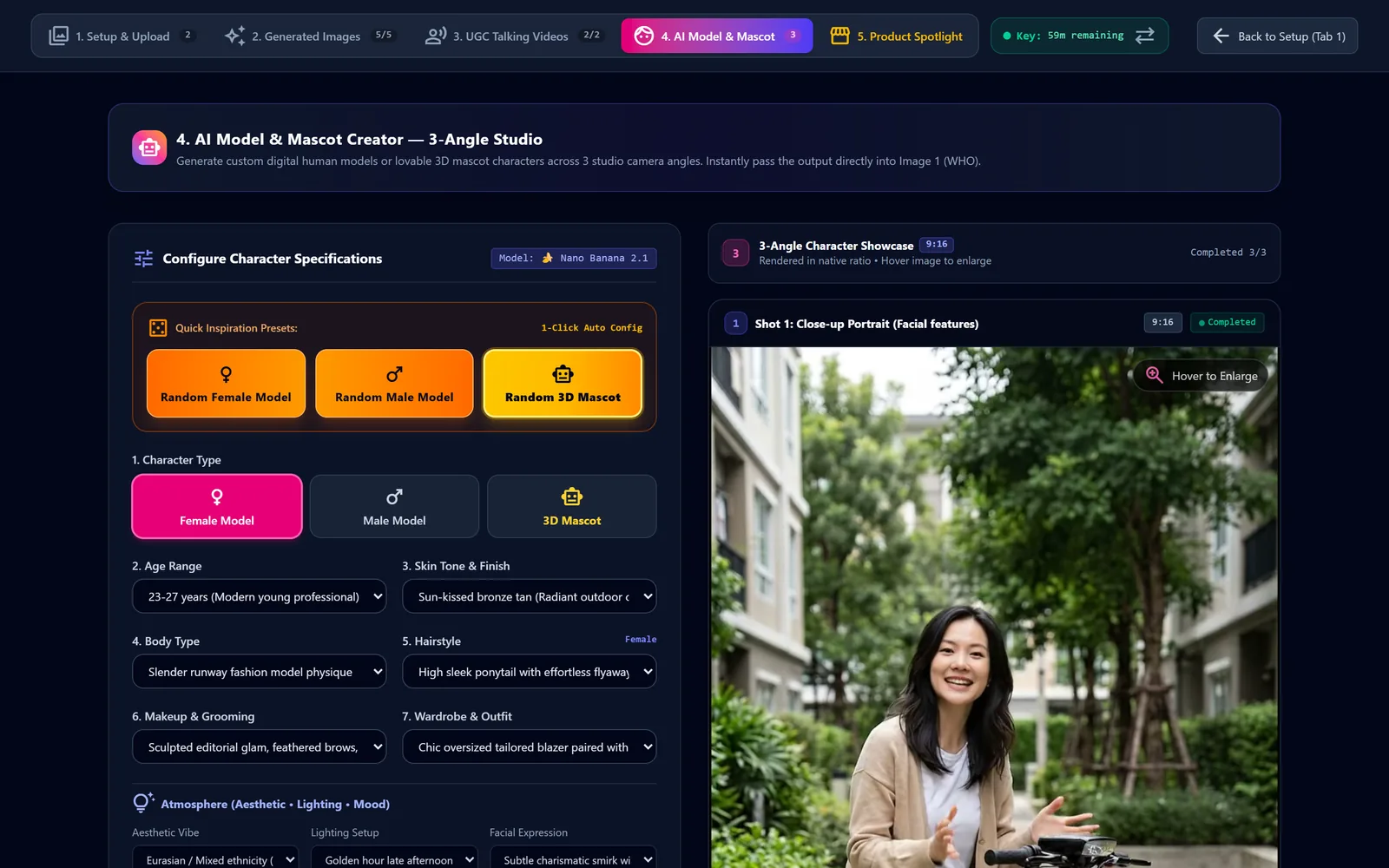
  • AI Model & Mascot builder: female, male or 3D mascot with detailed options and quick presets, 3 angles at once, one click to use as Image 1 (WHO)
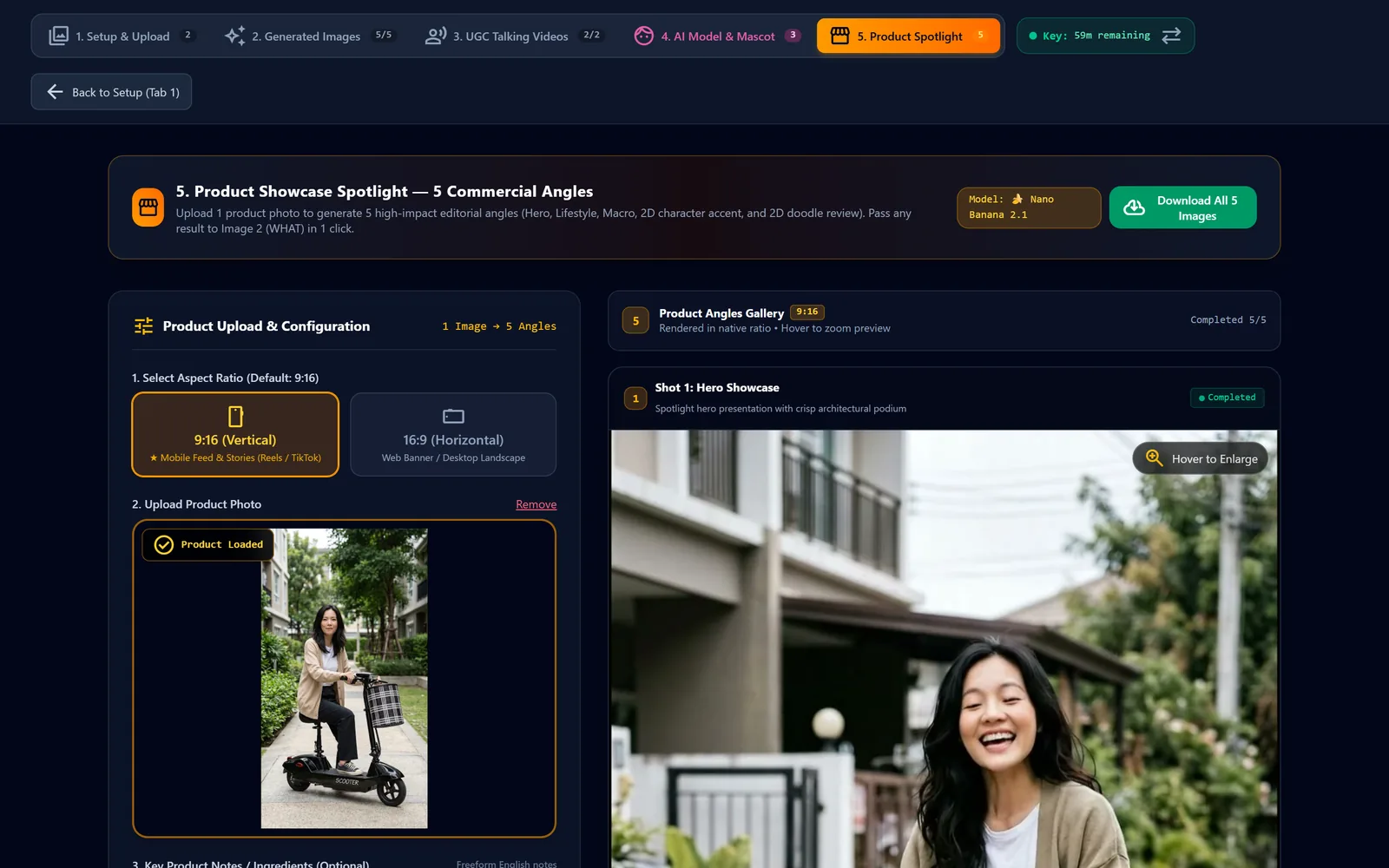
  • Product Spotlight: one product photo → 5 angles (Hero Showcase, Natural Lifestyle, Macro Texture, 2D Mini Character Accent, 2D Ink Doodles Review), one click to use as Image 2 (WHAT)
  • Download All for images, Download All MP4 for videos, and per-card downloads
How it worksReal screens from the tool

From key to talking review in 6 steps

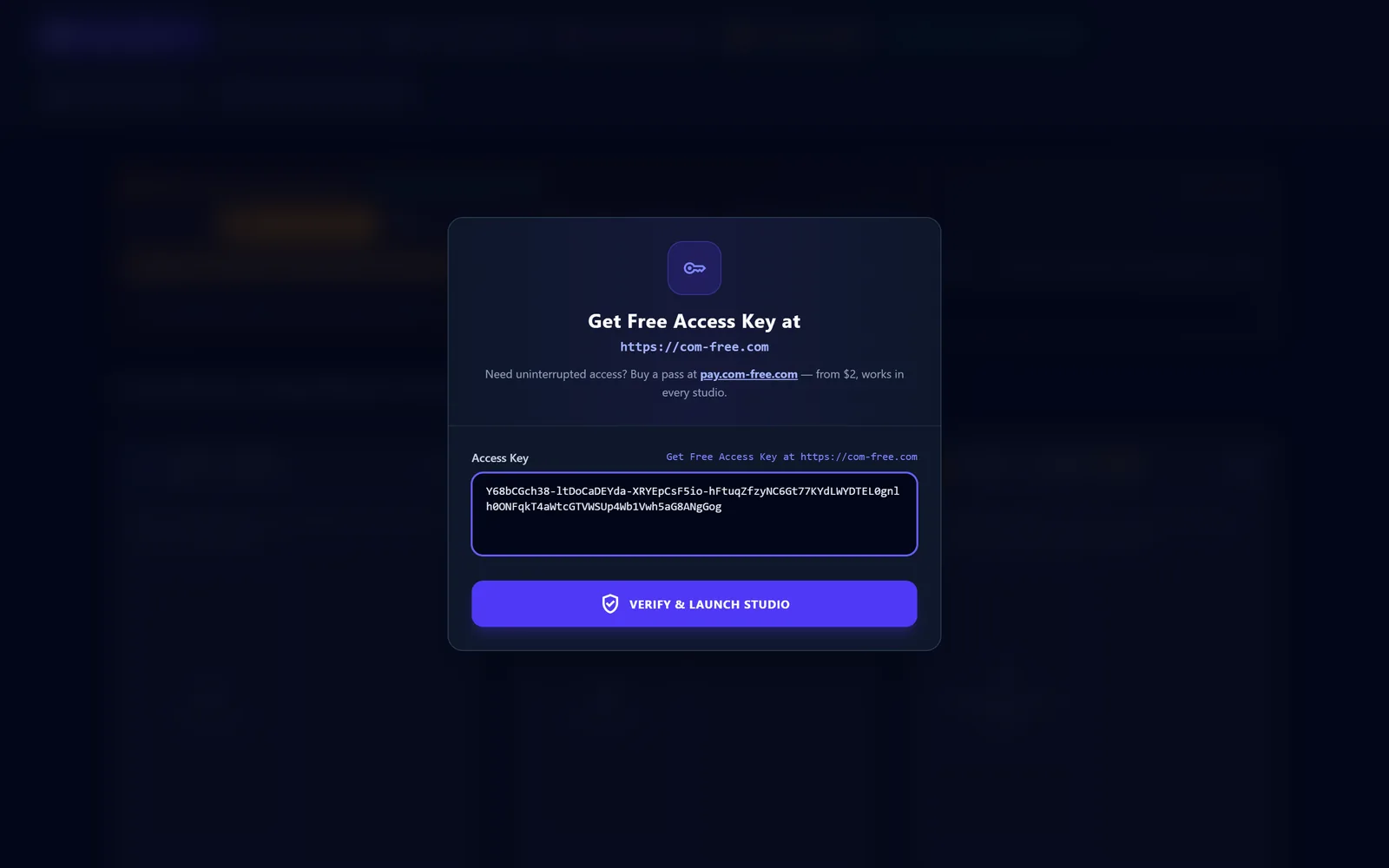
  1. The tool's Access Key dialog with a free key pasted into the field above the Verify & Launch Studio button.

    Paste your key

    Get a free key here → Open in Google Flow → paste the key into the Access Key dialog

    In the tool: Verify & Launch Studio
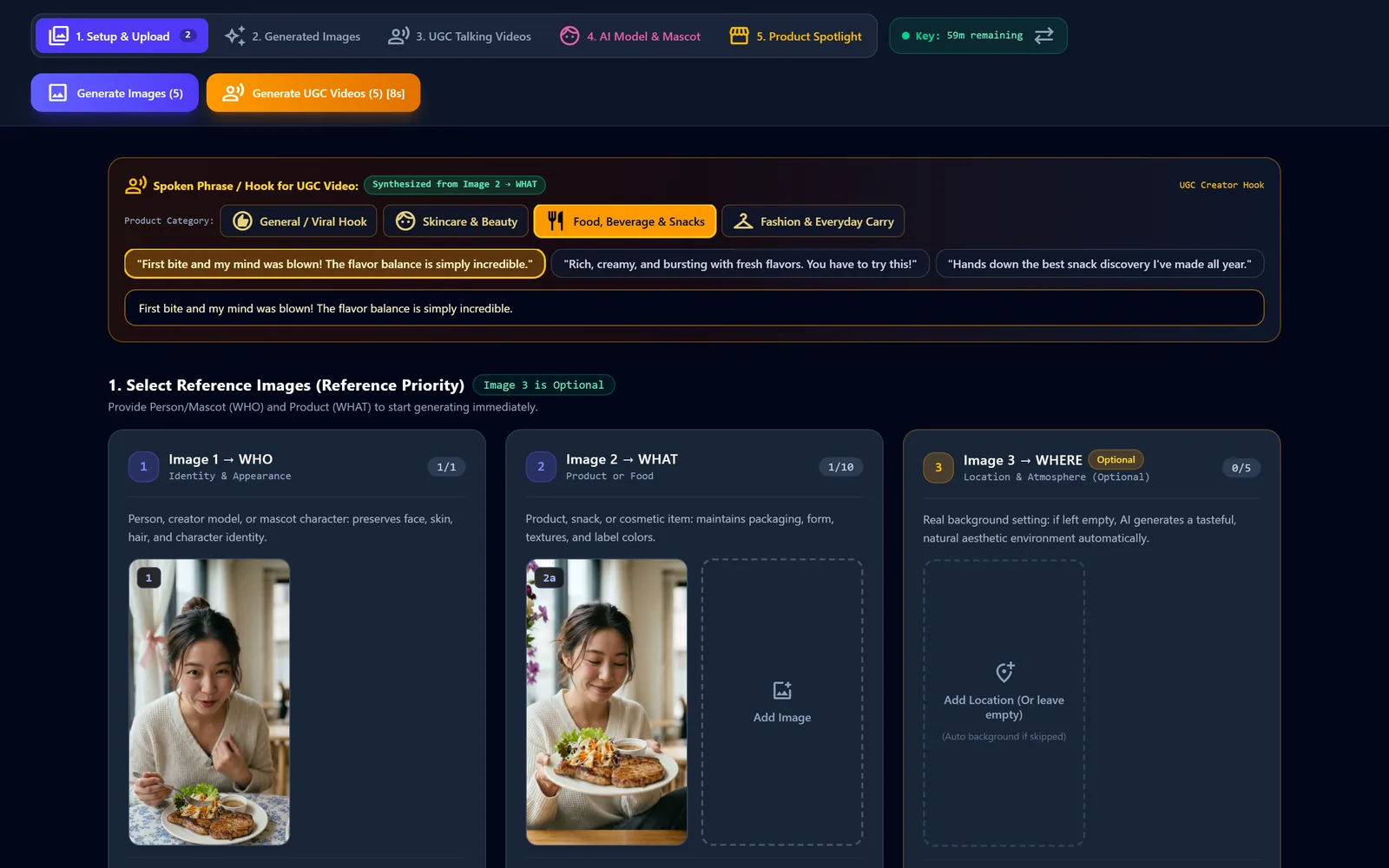
  2. The 1. Setup & Upload tab with the Food, Beverage & Snacks hook selected and creator and product photos in the WHO and WHAT slots.

    Add creator, product and hook

    In 1. Setup & Upload, add the creator (WHO), the product (WHAT) and pick a hook

    In the tool: 1. Setup & Upload
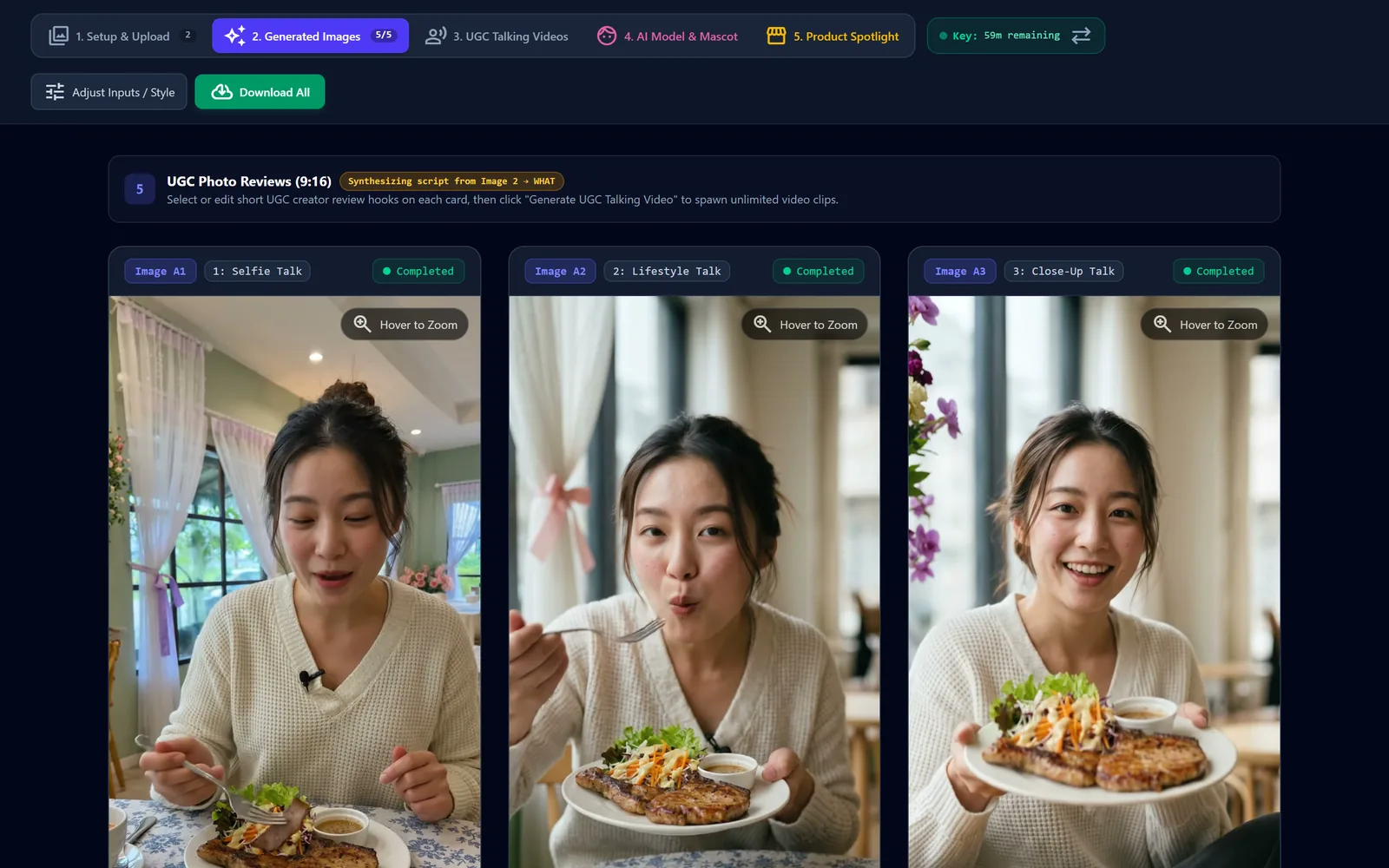
  3. The 2. Generated Images tab showing Selfie Talk, Lifestyle Talk and Close-Up Talk review shots of a creator with a grilled pork chop plate.

    Generate 5 review shots

    Click Generate Images — each product gets 5 UGC review shots in 2. Generated Images

    In the tool: Generate Images
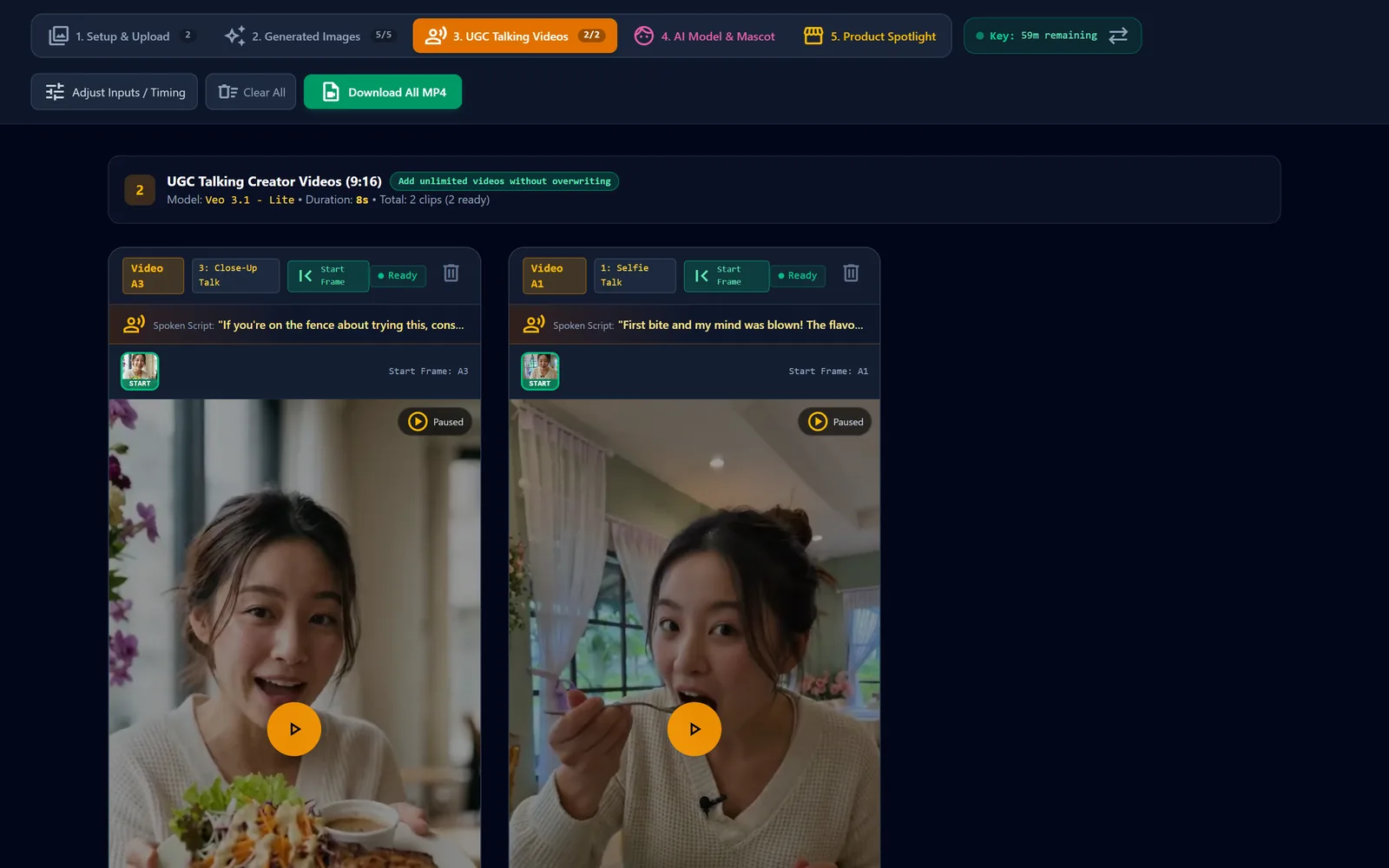
  4. The 3. UGC Talking Videos tab with two talking video cards, each showing its spoken script and start frame.

    Make talking videos

    Click Generate UGC Talking Video on a card — clips land in 3. UGC Talking Videos

    In the tool: Generate UGC Talking Video
  5. The 4. AI Model & Mascot tab with quick presets, character options and a generated close-up portrait shot.

    Build an AI creator

    In 4. AI Model & Mascot, pick a preset and click Generate 3 Shots for a new creator

    In the tool: Generate 3 Shots
  6. The 5. Product Spotlight tab with an e-scooter product photo loaded and the Hero Showcase angle generated.

    Product spotlight angles

    In 5. Product Spotlight, upload one product photo and Generate 5 Product Angles

    In the tool: Generate 5 Product Angles
Interface preview — sample outputs from this studio.
Sample clips6 talking videos · 1 tool screenshot

Talking review clips made in this studio

Every clip below is an 8-second 9:16 output. Clips start muted — use the player controls for sound.

  • Café food review — first bite at the table

    A woman in a cream knit sweater sits at a blue-floral tablecloth in a pastel green café with sheer curtains, takes a bite of grilled pork chop with salad and dipping sauce, then reacts and talks to the camera.

    9:168 s
  • Café food review — tasting and reacting

    In a bright café with white curtains tied with pink bows, the same creator holds the grilled pork chop plate, tastes a forkful and gives an animated, wide-eyed reaction to camera.

    9:168 s
  • Café food review — showing the plate to camera

    Close-up talking shot: the creator holds the grilled pork chop plate with salad and sauce toward the lens, smiling and speaking, with purple orchids and window light behind her.

    9:168 s
  • Seated e-scooter review on a residential street

    A woman in an olive cardigan sits on a black seated e-scooter with a plaid fabric front basket in front of townhouses, chatting and gesturing to camera; the clip ends on a soft motion blur.

    9:168 s
  • E-scooter close-up — handlebar and basket details

    Handheld close-up of a woman in an olive jacket leaning over the e-scooter handlebar, touching the control unit and the plaid basket while talking to camera on a quiet street.

    9:168 s
  • E-scooter review in a garden walkway

    A woman in a beige cardigan sits on the black seated e-scooter on a paved path between hedges and trees outside apartment buildings, talking enthusiastically with expressive hand gestures.

    9:168 s
  • Screenshot of the tool's 1. Select Reference Images section: Image 1 → WHO holds a smiling woman in a cream sweater, Image 2 → WHAT a grilled pork chop plate with salad and sauce (2a), and Image 3 → WHERE a café interior with a blue-floral tablecloth (3a).
    Tool UI screenshot — not a generated result

    Tab 1 reference setup (screenshot)

    Screenshot of the tool's '1. Select Reference Images' section: Image 1 → WHO holds a smiling woman in a cream sweater, Image 2 → WHAT a grilled pork chop plate with salad and sauce (2a), and Image 3 → WHERE a café interior with a blue-floral tablecloth (3a).

Script pickerPrompt library · spoken hooks

Pick the line your creator says

The 17 spoken-hook presets from the tool, in its 4 product categories. Pick one to preview it as a caption, edit it, then copy it into the hook field in 1. Setup & Upload.

    ★ Saved hooks (this browser only)

      Caption preview9:16 · your hook
      Hook

      Image style explorerPrompt library · IMAGE_STYLES

      20 image looks for your review shots

      Each style is the exact description the tool adds to the image prompt. Filter, save your favourites and copy.

        Character quick presetsPrompt library · 4. AI Model & Mascot

        AI creators & mascots

        The tool's quick presets for tab 4, shown as the full prompt it builds for Shot 1 (9:16). Open one to read and copy it.